General - The
game is designed to be as realistic as possible. Remember this any
time you do anything in the game. Almost all the decisions
you make in the game will effect something else. Be sure to visit
all the different areas of the game so you can get used to where everything
is.
You can see a list of all members online at any time
by looking at the members online list at the bottom right hand corner
of the screen.
Watch the news ticker at the very very bottom of the
screen for important updates, specials, links, etc.
Your Account
- is where you will find all your game information.
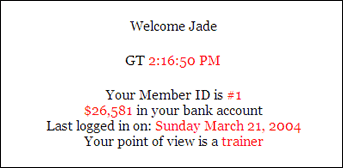
Your ID number is listed at the top of the page. Most
people memorize their ID number, it comes in handy later. You'll also
see how much money you have in the game, when you lasted logged in,
and your point of view (POV).
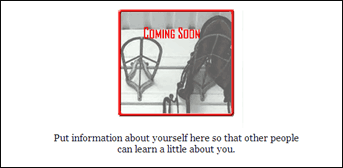
Your default page is shown above. A page is known
as the html and text and pictures that you decide to put on your account
for other members to see. Some html code you enter on your page will
make it so you can't see the bottom of your account. If this happens
you will need to reset your page. Go to Main Menu > Help > Faq
> Reset A Page >Account Page.
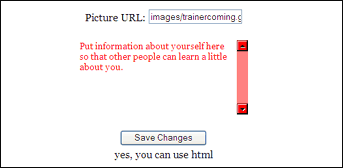
If you scroll down the page you'll see a box where
you can enter the URL of a picture and a text area that you can write
in. If you enter a URL in box or change the text in the text area
make sure you hit SAVE when you're done. The page will reload and
you'll see the changes you made.
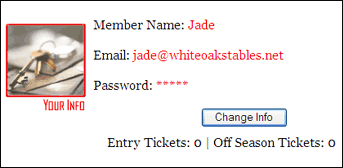
Below that you'll see your info. This shows you quickly
what your listed email is, and how long your password is. If you want
to change either your email, member name, or password, click on the
CHANGE INFO button. Underneath that you'll find how many entry tickets
you have, and how many on or off season tickets you have. You use
tickets to enter special races. See upgrades or more information.
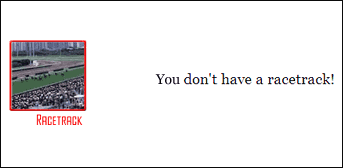
At the very bottom of your page you will see a list
of all your racetracks. If you don't have any racetracks you'll see
the picture displayed above. For more information on racetracks see
the upgrades section of this guide.
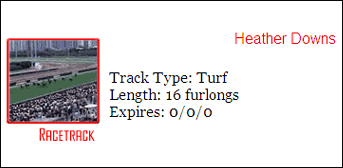
If you have a racetracks, they will be listed at the
bottom of your account page. The name of your racetrack is displayed
in red, and if you click on it, you'll be taken to where you can manage
your racetrack. Below that the type of track you have, the length
of your track, and the day it expires (month/day/year) will be listed.
Make sure you renew your racetrack before the expiration date! For
more information on racetracks see the upgrades section.
Post Office
- is where you manage your game mail.
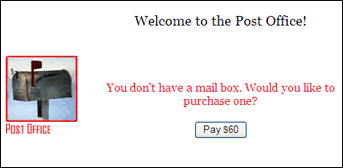
Just like in real life, nothing on the game is free.
To get mail from other players you must buy a mail box. Once you've
bought a mailbox you won't ever have to pay for it again.
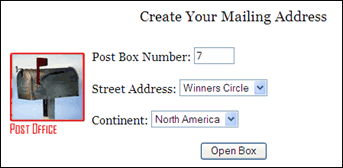
For a mail box you have to have mailing address. If
you enter a mailing address that already belongs to someone else you'll
get an error message. Just choose a different one if that happens.
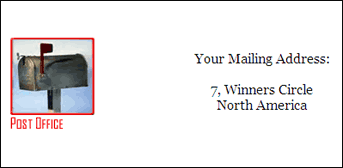
Once you've made your mailbox you're ready to check
your mail! Select the check mail button at the top of the page.

At the top of your mailbox you can see how full it
is. Once your mailbox reaches 100% you won't be able to get any more
mail from people. Below that there is a link: you@whiteoakstables.net.
This link is for people who've upgraded to a racetrack. For more information
on racetracks see the upgrades section of this guide.
After that you'll see a list of all message you have.
At the top of the message you'll see who sent you the message and
point of view (POV) they have in the game. Underneath that you'll
see the date the message was sent. Finally you'll see the subject
of the message. Click on the subject to read the message, or select
the DELETE button to get throw away that message.
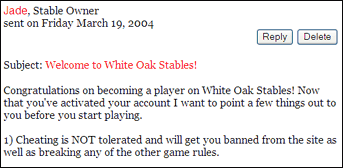
If you click on the subject line of the message, then
the message will load. To reply to the message hit the REPLY button,
otherwise you can hit the DELETE button to delete the message, or
click on the check mail button at the top of the page to save the
message for later. Note: new messages appear in italics on the check
mail page.
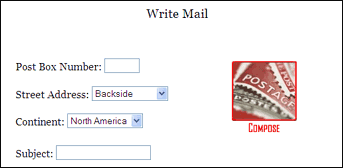
You'll need to know a member's address to write them
a message. If you visit their account and select the send mail button
their address will automatically be entered for you.
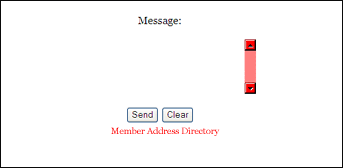
Scroll down and enter a message to send to the member.
If you mess up you can hit clear and you can start again. To search
for an address of a certain member use the member address directory
link.
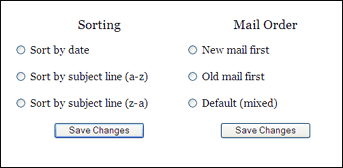
By clicking on mail options you can change how you
view your mail.
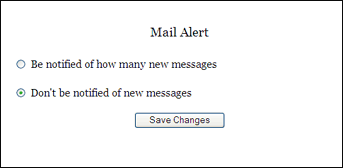
Available to racetrack owners only, you can get an
alert every time you recieve a new mail message. If this feature gets
annoying, simply turn it off.
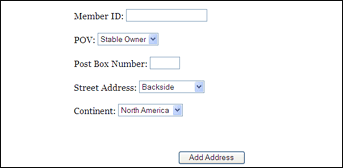
In your address book you can add the addresses of
members you talk to often to make it easier to send them a message.
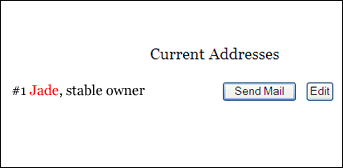
The members you have in your address book at shown
at the bottom of the address book section of the post office. There
is currently no limit on how many people you can have in your address
book, however this might change in the future.
Spotlights -
are the best of the best on the game.
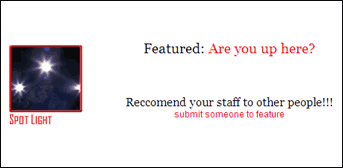
Feature your jockey or trainer or stable owner that
you like so much by submitting them to the spotlight section of the
game.
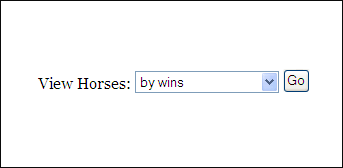
Select which of the best you'd like to see, horses,
jockeys, trainers, or stable owners. Drop down the list to view them
in order of wins, places, shows, earning, or even ability (grade).
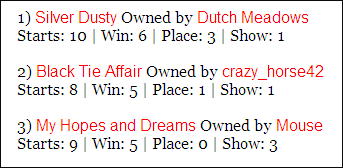
Hit the go button and the results will be shown further
down the page. Only the top 25 in each category are displayed. Make
sure you check back often beacuse the results are always changing!